Script Palette
Your most important Lua scripts always at hand: a freely movable palette next to the score from which you start any script with one click or two keystrokes – without going through the menu.
Collect the scripts you need every day in the palette and arrange them in the order that suits your work. The palette stays open while you keep working in Finale.
The keyboard is fastest: the first 26 entries are assigned to the letter keys, row by row from left to right. One keystroke jumps to the script, the Enter key starts it. And of course the mouse always works too.
Entries can be moved and removed individually or in blocks; the script files themselves remain untouched. The palette speaks English, German, French, Spanish, Polish and Italian and adapts the letter rows to the respective keyboard.
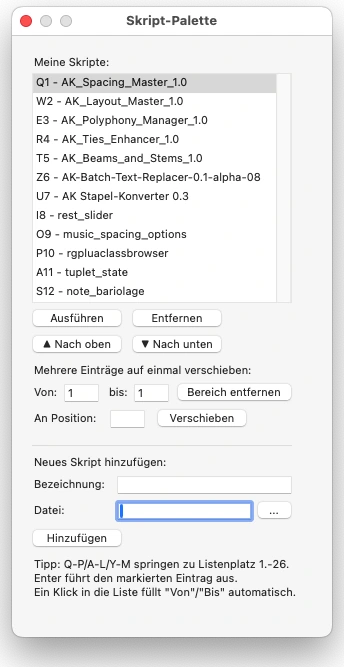
Good to know: once the palette is installed, you can install new Lua scripts directly with the Add function – without the somewhat cumbersome RGP Lua procedure followed by quitting and restarting Finale.
The script comes with a quick guide in six languages.