Repeat Endings
AK Repeat Endings brings everything Finale offers for repeat endings into one window: the position of the brackets, the settings from the “Edit Ending” dialog and the document defaults. You make the key decisions in one place instead of looking for them in three different ones.
Working with sliders and numeric values is far less error-prone than dragging the many small handles with the mouse: nothing shifts by accident, all endings in a region can get exactly the same values, and you see every change in the score at once, before you apply it.
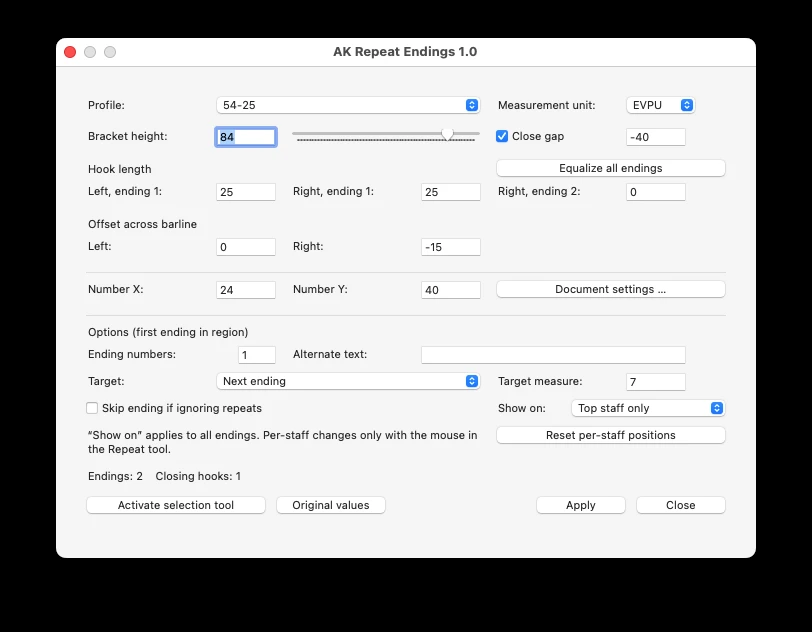
If brackets and numbers have got out of line, one click on “Equalize all endings” makes everything uniform again. “Default values” returns to Finale’s default at any time; you save your own value sets as profiles.
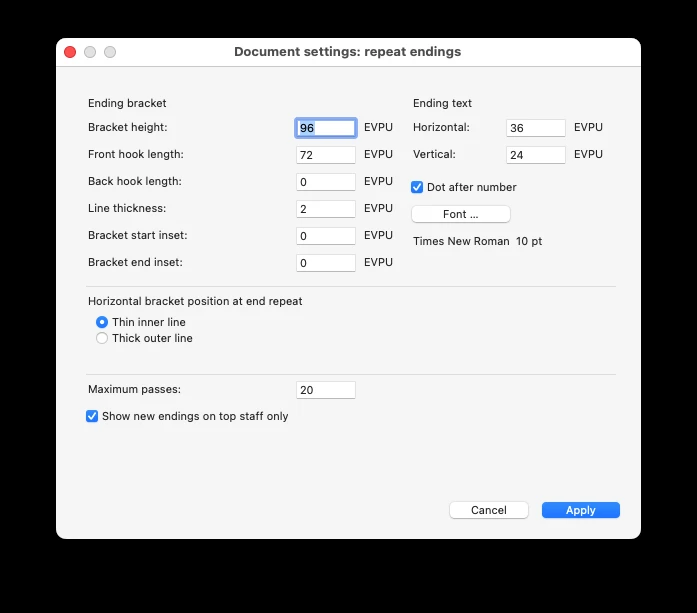
Finale’s document settings for repeat endings are available directly from the window, together with the dot after the number, the font and showing endings on the top staff only.
The script comes with a manual in six languages.